How to Transpose a PDF Score in Seconds
Transpose any readable PDF score by key, semitone, or instrument preset, pick specific pages, fix doubtful bars with the Bar Fixer, and export a transposed PDF or MusicXML.
Arriving at rehearsal only to find the score is in concert D major while you play a Bb clarinet is never fun. DuetScore lets you transpose a PDF score right on the page without changing the original file.
Open any readable PDF score and choose Transpose… from the menu (or press Ctrl+T, or Cmd+T on Mac). Here is what every option in the Transpose window does.
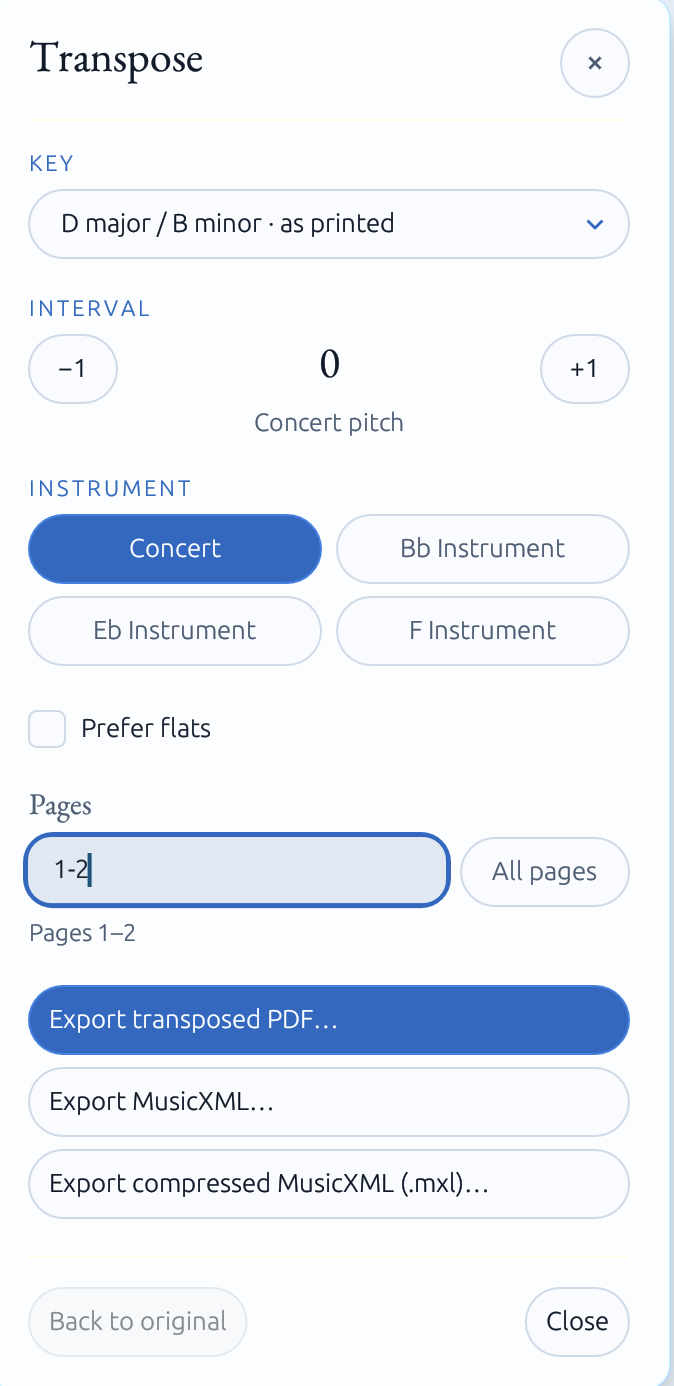
Pick Your Target Key or Interval
- Key: Open the Key menu to see the printed key (for example,
D major / B minor · as printed) and pick the exact key you want instead. - Interval: Click
-1or+1to move the score down or up one semitone at a time, up to an octave (-12to+12). - Instrument: Tap Concert, Bb Instrument, Eb Instrument, or F Instrument to switch immediately to the transposition your instrument reads.
- Prefer flats: Check Prefer flats when a key can be spelled two ways and you would rather read flats than sharps.
- Pages: Leave the Pages box empty (or click All pages) to transpose the whole score. To transpose only part of a book, type page numbers or ranges like
1, 3-5.
Fix Doubtful Bars Before You Export
Sometimes the PDF score reader is unsure about a crowded bar or a strange tie. The dialog shows a red notice telling you how many bars are doubtful. Those bars stay as printed, with a light tint, so you do not play a wrong guess.
Click Fix the first doubtful bar to jump straight to it and open the Bar Fixer beside the score. Fix any wrong notes or note lengths, or click Whole bar looks correct if the bar already sounds right. Once fixed, those bars transpose along with the rest of the score.
Export or Reset
When you are ready to save, click Export transposed PDF… to save a new PDF in the new key (with only the pages you selected). You can also click Export MusicXML… or Export compressed MusicXML (.mxl)… to open the transposed score with your fixes in another notation app.
Click Back to original at any time to return to the printed key, or Close to hide the window.